






Epson RapidReceipt RR-70W Review (2025) – Best Lightweight Wireless Receipt Scanner for Freelancers?
In a world where paper clutter is the enemy of productivity, finding a reliable, compact scanner isn’t just a luxury — it’s a necessity. If you’re a freelancer, remote worker, or small business owner, you’ve probably experienced the hassle of managing receipts, invoices, and tax documents. That’s where the Epson RapidReceipt RR-70W comes in — a scanner that promises to simplify all that with speed, portability, and wireless convenience.
Designed for people on the move, the RR-70W is ultra-lightweight, no wider than a keyboard, and fits neatly in your bag or desk drawer. But don’t let its small size fool you. This scanner is packed with features aimed at digitizing your paper trail fast — with built-in Wi-Fi, OCR software, and support for popular accounting platforms like QuickBooks and TurboTax.
Unlike bulky all-in-one office machines, the RR-70W is built for simplicity and speed. It’s perfect for scanning single-page documents, receipts from client lunches, or that stack of crumpled invoices you’ve been putting off. Plus, the fact that it doesn’t need a wall outlet to run (USB-powered!) makes it a top pick for people working from coffee shops or while traveling.
But in 2025, with so many mobile scanners on the market — is the Epson RR-70W still a smart buy? Can it keep up with your work-from-anywhere lifestyle?
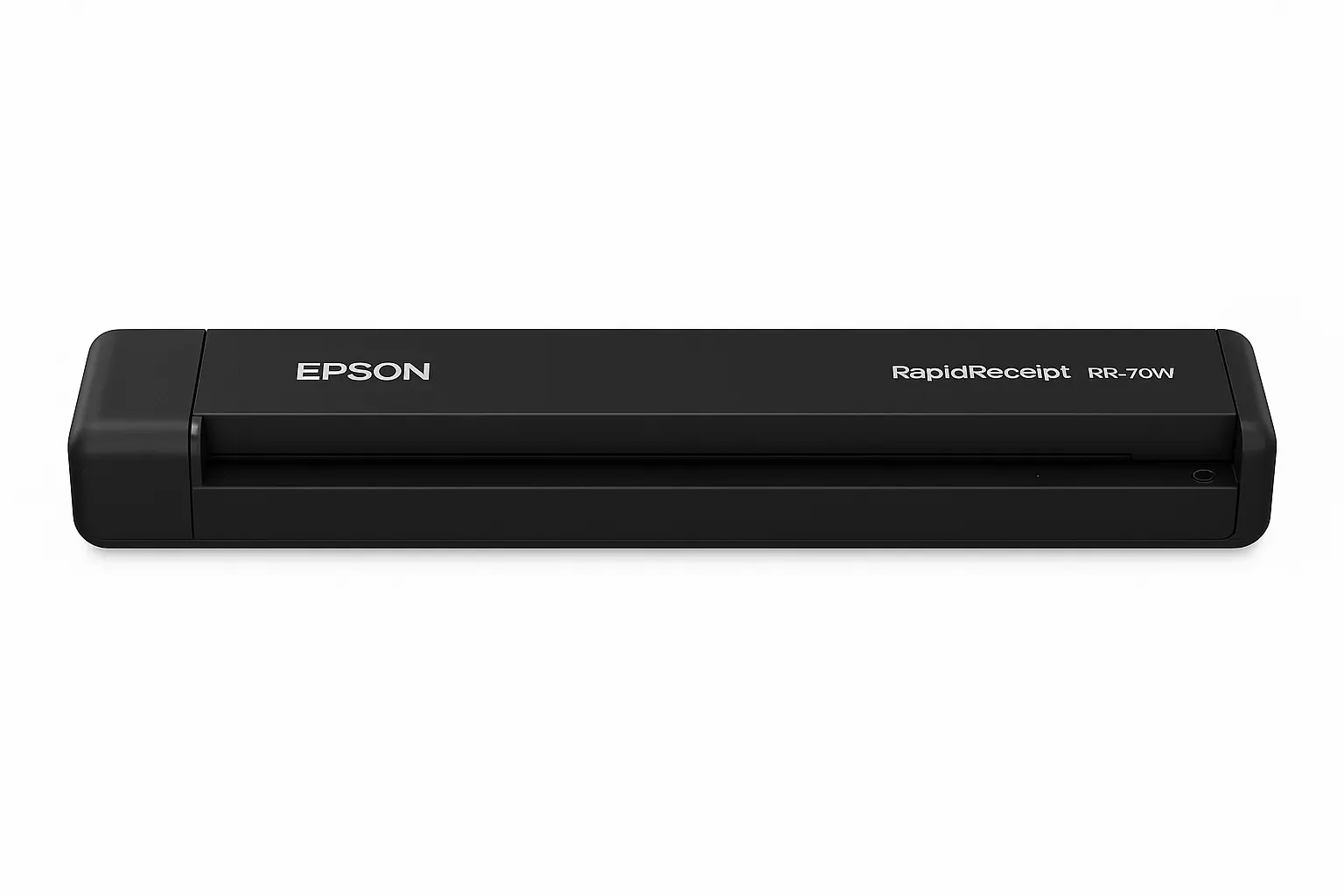
Let’s dive into everything this little scanner has to offer — the features, performance, what it does great (and what it doesn’t), and why it might just become your new favorite tool.
Contents
🔧 Specs at a Glance – Epson RR-70W
| Feature | Details |
|---|---|
| Scanner Type | Portable, single-sheet feed |
| Connectivity | Wi-Fi, USB 2.0 |
| Scanning Speed | Up to 15 ppm (pages per minute) |
| Max Resolution | 1200 dpi |
| Supported Media Types | Receipts, invoices, business cards, letter-size paper |
| Duplex Scanning | ❌ (Single-sided only) |
| Dimensions | 10.7″ x 1.3″ x 1.8″ |
| Weight | 0.66 lb (lightest in class) |
| Software | Epson ScanSmart + Nuance OCR |
| OS Compatibility | Windows, macOS |
| Price Range (May 2025) | $179–$199 (Amazon, B&H, Epson.com) |
⭐️ Key Features That Make It Stand Out
1. Ultra-Portable Design
Weighing under 0.7 lbs, the RR-70W is lighter than most power banks. It’s built for on-the-go professionals — whether you’re scanning receipts in a café or organizing expenses on a train.
2. Truly Wireless
Thanks to built-in Wi-Fi, you can scan directly to your laptop or cloud without a USB cable. That’s a major plus if you want a clutter-free setup.
3. Smart Receipt Management
It includes Epson ScanSmart Software, which:
Automatically recognizes receipt data
Converts to editable formats (PDF, Excel, CSV)
Exports to QuickBooks, TurboTax, or your favorite accounting software
Perfect for freelancers and self-employed users tracking every expense.
4. Speed & Simplicity
With a scan speed of 15 pages per minute, it’s fast for a portable model. The auto-cropping and text enhancement make receipts and cards legible — even when crumpled.
🔍 Pros and Cons
✅ Pros
Ultra-light and portable — fits in your laptop bag
Wireless scanning (Wi-Fi)
Accurate OCR for receipts and invoices
ScanSmart software is beginner-friendly
Great compatibility with tax tools (TurboTax, QuickBooks)
Runs off USB power — no need for wall adapter
❌ Cons
No duplex scanning (one side at a time)
Limited to single-sheet feed (no auto document feeder)
Not ideal for bulk scanning jobs
Wi-Fi setup can be tricky at first
🧑💼 Who Is the RR-70W For?
Freelancers and remote workers needing a compact scanning solution
Traveling professionals (consultants, tax pros, etc.)
Students who need to digitize study materials or paper receipts
Small business owners who don’t need high-volume scanning
🔄 Comparison: RR-70W vs RR-600W
| Feature | RR-70W | RR-600W |
|---|---|---|
| Duplex Scan | ❌ | ✅ |
| Auto Document Feeder | ❌ | ✅ (20 pages) |
| Size | Ultra-compact | Slightly larger |
| Wireless | ✅ | ✅ |
| Best For | Freelancers, mobile users | Small offices, home businesses |
| Price (May 2025) | $179–$199 | $379–$399 |
💬 Real User Feedback
“The RR-70W saved me hours during tax season. Super lightweight, and I love that I don’t need to be tethered to my laptop.”
— Sandra M., Freelance Graphic Designer
“Wi-Fi took a few tries to set up, but once it worked, this scanner became part of my daily workflow.”
— Derek T., Remote Consultant
💰 Pricing & Availability (as of May 2025)
Epson Official Site: $199
Amazon: $179–$189 (depending on bundle)
Best Buy: $189
💡 Tip: Look out for frequent discounts during back-to-school or small business weeks!
🧠 Final Verdict – Is It Worth It?
If you’re looking for a lightweight, wireless, and easy-to-use receipt scanner, the Epson RR-70W is hard to beat. It’s not for heavy-duty scanning, but for freelancers, students, or anyone tired of paper clutter — it delivers on all fronts.
⭐️ Rating: 4.6/5 – Editor’s Choice for Portability
🔗 Internal Links
- Best Portable Scanners for Laptops in 2025
- Best Portable Flatbed Photo Scanners in 2025
- Fujitsu ScanSnap iX1300 Review (2025) – The Best Compact Scanner for Home & Office?
💬 User FAQ Section
❓ Is the Epson RapidReceipt RR-70W wireless?
Yes, it features built-in Wi-Fi, allowing wireless scanning to your computer or cloud services without needing USB cables.
❓ Can the RR-70W scan both sides of a document?
No, the RR-70W supports only single-sided scanning. If you need duplex scanning, consider the Epson RR-600W.
❓ What file formats does the Epson ScanSmart software support?
It can save scans as PDF, JPG, TIFF, and even export data into editable Excel or CSV formats using OCR.
❓ Does the RR-70W work with QuickBooks or TurboTax?
Yes, the bundled software allows you to export scanned receipt data directly into QuickBooks, TurboTax, and other accounting platforms.
❓ Can I use the RR-70W with macOS?
Absolutely. The RR-70W is compatible with both Windows and macOS operating systems.