






Is Dell Precision 5680 Good for Video Editing and CAD Work?
If you’re a video editor, 3D artist, or engineer working with heavy-duty CAD software, chances are you’re hunting for a laptop that won’t break under pressure. Enter the Dell Precision 5680, a mobile workstation that looks like a sleek ultrabook but performs like a desktop beast. But is it really worth the investment for creative professionals and technical users?
Let’s break down how the Precision 5680 handles tasks like video editing, rendering, AutoCAD, Revit, and more, and see whether it deserves a spot in your workflow—or if you’re better off with another machine.
Contents
🔍 Dell Precision 5680 at a Glance
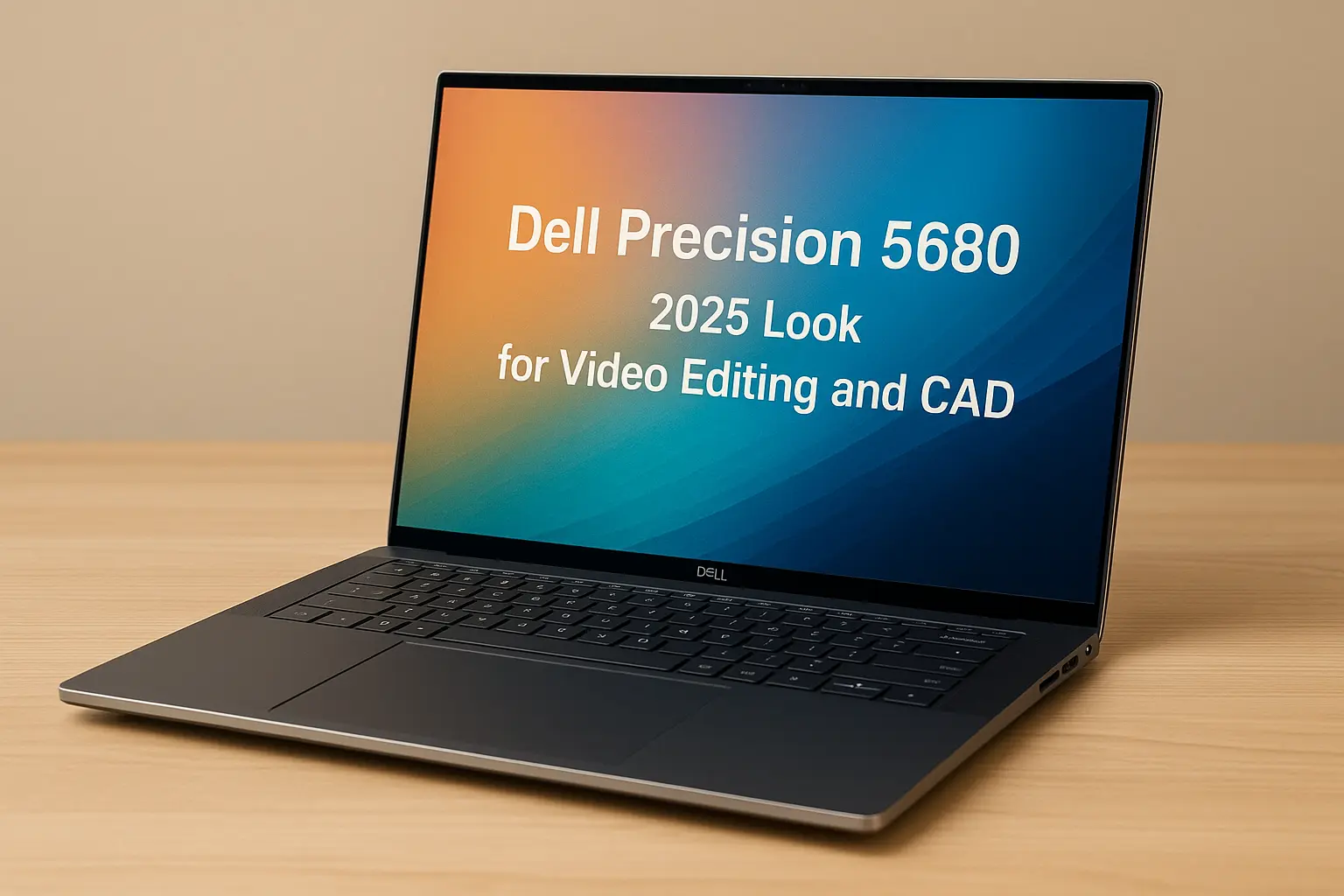
Here’s a quick look at the core specs powering the Dell Precision 5680:
| Component | Details |
|---|---|
| CPU | Intel Core i9-13980HX / Xeon W-2400 (configurable) |
| GPU | NVIDIA RTX 3500 Ada (up to 12GB VRAM) |
| RAM | Up to 64GB DDR5 (ECC or non-ECC) |
| Storage | Up to 4TB PCIe Gen4 SSD |
| Display | 16-inch 4K+ UHD+ (3840 x 2400) OLED Touch Display, 100% DCI-P3 |
| Ports | 2x Thunderbolt 4, HDMI 2.1, SD Card Slot, Audio Jack |
| Battery | 99.9Wh with ExpressCharge support |
🎞️ Performance for Video Editing – Real-World Experience
🔧 CPU & GPU Muscle
The Intel i9 or Xeon chip combined with the NVIDIA RTX 3500 Ada graphics card is overkill—in the best way. Whether you’re scrubbing through 4K footage in DaVinci Resolve, or stacking multiple layers in Premiere Pro, this laptop barely flinches.
Rendering is noticeably faster compared to typical consumer laptops thanks to dedicated CUDA cores and AI acceleration.
💾 RAM & Storage – Built for 4K Timelines
With 32GB or more of DDR5 RAM and up to 4TB SSD, it can easily handle multiple 4K clips, After Effects compositions, and even RAW footage workflows. You won’t experience lag when switching between heavy Adobe apps.
🌡️ Thermal Control
The internal vapor chamber cooling system does a solid job keeping things cool. Fan noise is present under load, but not overly disruptive.
🧱 CAD & 3D Modeling Performance
🛠️ Software Compatibility & ISV Certifications
Dell Precision 5680 is ISV certified for apps like AutoCAD, SolidWorks, Revit, Blender, Maya, and more. This means it’s optimized to run them stably and efficiently—critical for professionals working on architectural or mechanical design.
🧮 Rendering & Simulation
The RTX Ada GPU delivers real-time viewport rendering and supports hardware acceleration for simulation tasks like fluid dynamics or structural analysis.
🎨 Display Quality
If color accuracy matters, you’ll love the DCI-P3 calibrated OLED display. Perfect for 3D shading, texture work, and post-production color grading.
💼 Build Quality, Ports & Portability
Despite being a powerhouse, the Precision 5680 features a premium build with aluminum chassis, thin bezels, and a surprisingly compact footprint. At 4.4 lbs (2 kg), it’s not ultralight—but very portable for a mobile workstation.
The inclusion of Thunderbolt 4, SD card reader, and HDMI 2.1 makes it ideal for creators who need flexible I/O without dongles.
🔋 Battery Life & Charging
With a 99.9Wh battery, you can get around 6–8 hours on moderate usage like editing documents or light video previewing. Dell’s ExpressCharge tech brings it to 80% in about an hour.
Of course, during heavy 4K editing or rendering, expect closer to 3–4 hours—still solid for this performance tier.
✅ Pros and Cons
| Pros | Cons |
|---|---|
| 🔹 Extremely powerful CPU & GPU | 🔸 Pricey, especially high-end configs |
| 🔹 ISV Certified for CAD software | 🔸 On the heavier side |
| 🔹 Beautiful 4K OLED touch display | 🔸 Gets warm under load |
| 🔹 Great port selection | 🔸 Not user-upgradable RAM (soldered in some variants) |
🧠 Verdict – Is It Worth It?
If you’re a professional editor, architect, engineer, or designer who needs mobile power on the go, the Dell Precision 5680 is absolutely worth it. It may cost more than your average laptop, but it delivers workstation-class performance in a portable chassis with a gorgeous display and optimized app support.
For those on a tighter budget, consider the Dell Precision 5480, or even Dell XPS 15 (2025) for a more balanced creative solution.
🔗 Internal Links
❓FAQ – Dell Precision 5680 for Creators
Q: Is the Dell Precision 5680 too powerful for basic editing?
A: Yes, it’s overkill for YouTube-style 1080p editing. But if you deal with 4K/8K content and large timelines, it’s perfect.
Q: Can the Precision 5680 handle 3D animation in Blender?
A: Absolutely. The RTX Ada GPU is excellent for viewport performance and rendering in Blender or Maya.
Q: Is the RAM and storage upgradeable?
A: Storage is upgradeable. However, RAM may be soldered in certain configurations—check before buying.
Q: How does it compare to MacBook Pro M3 Max?
A: Both are top-tier for creators. MacBook wins on battery life and macOS optimization; Precision 5680 wins in CAD and NVIDIA compatibility.