





Type Like a Pro – Best Mechanical Keyboards for Your Mac Setup [2025]
Contents
Introduction
Whether you’re a coder, writer, or designer, one thing is certain—your Mac deserves a keyboard that matches its power and elegance. While Apple’s Magic Keyboard gets the job done, many Mac users are upgrading to mechanical keyboards in 2025 for better tactile feedback, comfort, and long-term durability.
But not all mechanical keyboards are created equal—especially when it comes to macOS compatibility. In this guide, we’ll break down the best mechanical keyboards for Mac users in 2025, covering everything from premium picks to budget-friendly options that don’t compromise on experience.
What Makes a Mechanical Keyboard Mac-Friendly?
Not every mechanical keyboard works seamlessly with a Mac. Here’s what to look for:
✅ Mac Layout Compatibility: Keyboards with Command (⌘) and Option (⌥) keys, or remappable layouts.
🔌 USB-C or Bluetooth Support: Plug-and-play support for MacBooks and iMacs.
🎛️ Media Key Functionality: Volume, brightness, and play/pause keys that actually work on macOS.
🧠 Software or Driver Support: Some keyboards offer Mac-compatible software like VIA, or work well with Karabiner-Elements.
🎨 Aesthetic Match: Sleek, aluminum builds or minimalist designs that pair well with Apple gear.
Top Mechanical Keyboards for Mac in 2025
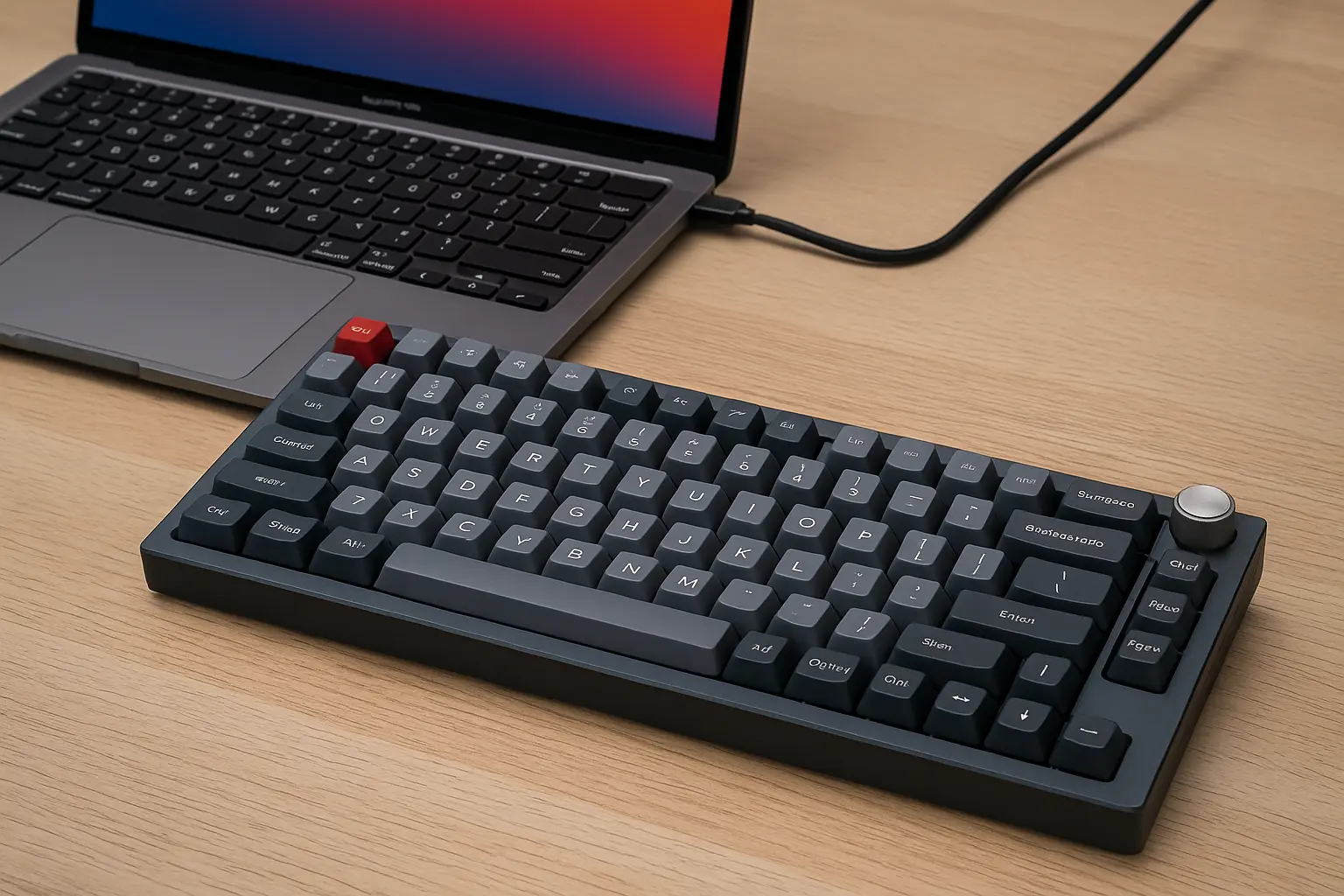
🔹 Keychron Q1 Pro
Why It’s Great for Mac Users:
Keychron Q1 Pro is a premium, fully customizable mechanical keyboard that natively supports macOS. It features a Mac/Windows toggle switch, which instantly adapts the layout—including the Command (⌘) and Option (⌥) keys—to your operating system.
Detailed Features:
Layout & Build: 75% layout with gasket-mounted design and an all-aluminum CNC-milled body. It’s heavy but extremely durable and stable.
Switches: Comes with Gateron G Pro 2.0 switches (Red, Blue, or Brown), known for their smooth feel and longevity.
Wireless: Supports Bluetooth 5.1 and wired USB-C with seamless switching between 3 devices.
Customization: Fully compatible with VIA/QMK software for remapping every key, setting macros, or creating layers.
Typing Feel: Tactile, dampened keystrokes due to its foam layers and gasket structure, making it comfortable for long typing sessions.
Other Perks: Hot-swappable sockets for easy switch replacements, south-facing RGB backlight.
Best For: Coders, designers, power users who demand control and build quality.
Price: ~$199
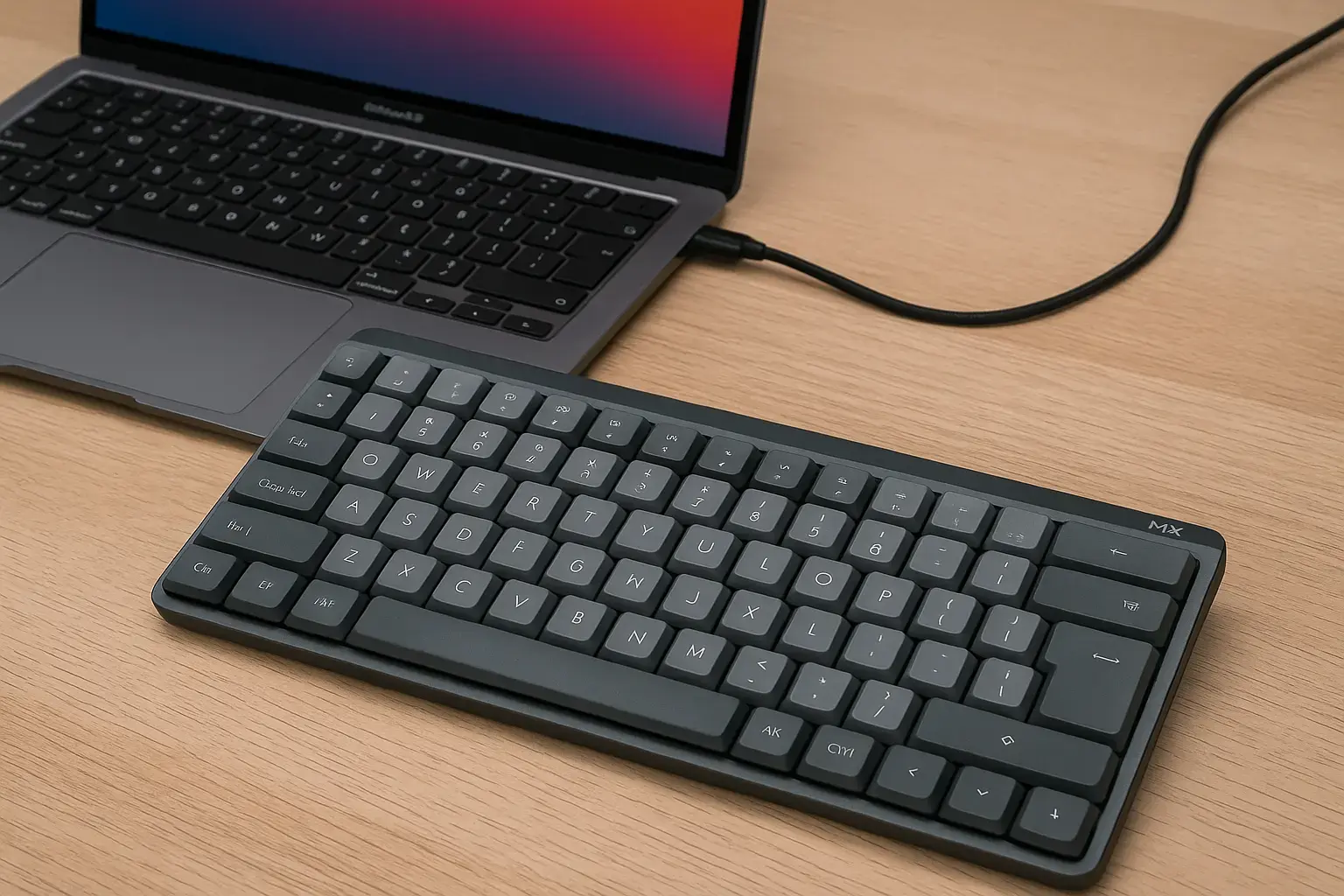
🔹 Logitech MX Mechanical Mini for Mac
Why It’s Great for Mac Users:
This keyboard is one of the few specifically built for macOS users by a major brand. It’s plug-and-play with no driver needed, supports macOS shortcuts out-of-the-box, and features excellent low-profile mechanical switches.
Detailed Features:
Build & Layout: Compact 75% layout with aluminum top plate and matte plastic base. Silent and professional look.
Switches: Logitech’s proprietary low-profile tactile switches—perfect for quiet typing with clear feedback.
Wireless: Connect via Bluetooth or Logi Bolt USB receiver. Can switch between 3 devices.
Battery: Lasts up to 15 days with backlight on, and up to 5 months with backlight off.
Software Support: Compatible with Logi Options+ for key remapping, and multi-device flow between Mac and iPad.
Typing Feel: Smooth and silent, ideal for shared spaces. Keys have short travel but good accuracy.
Best For: Writers, multitaskers, hybrid workers.
Price: ~$149
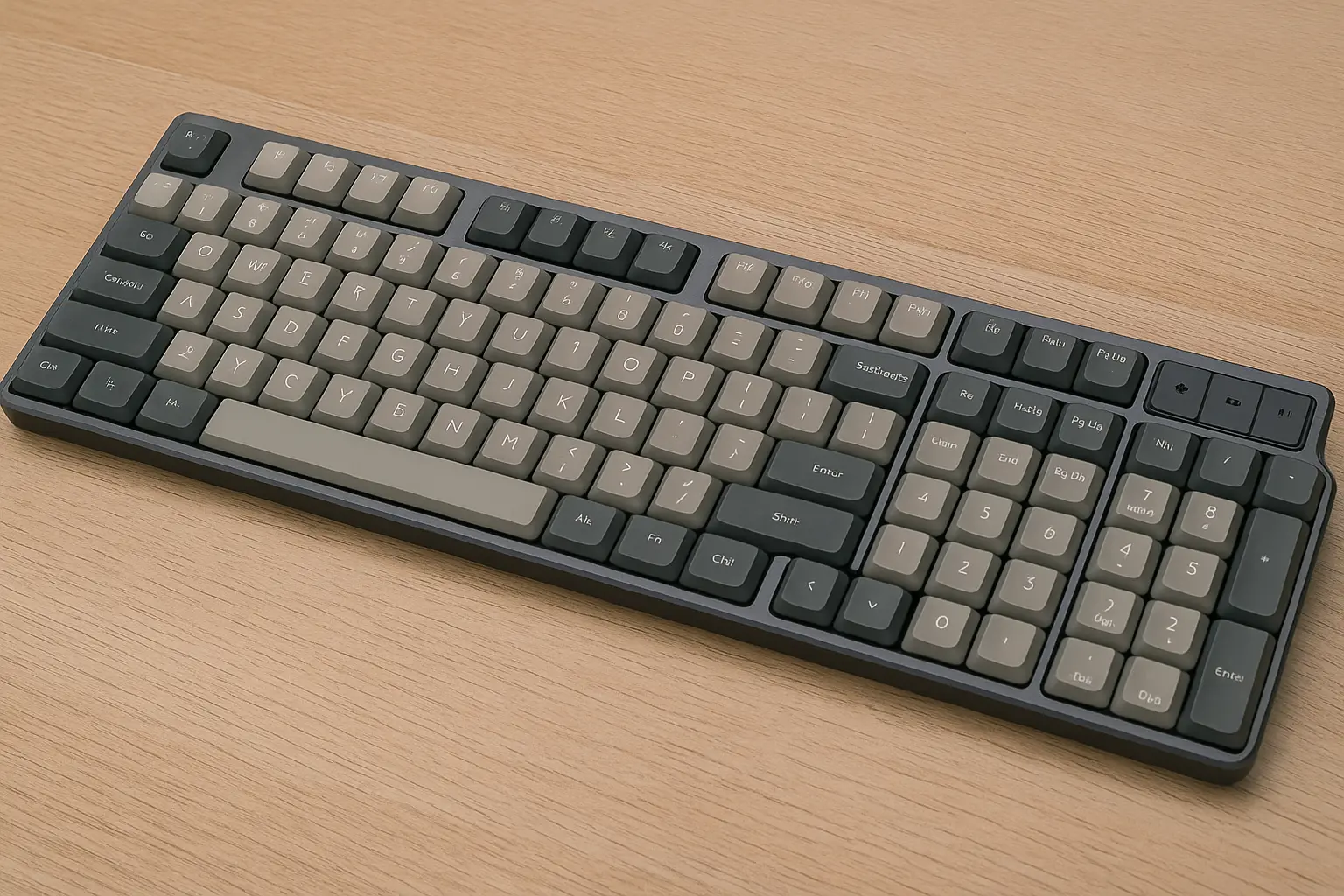
🔹 NuPhy Air96 V2
Why It’s Great for Mac Users:
NuPhy Air96 V2 offers a perfect balance of slim design, mechanical feel, and full Mac support. Its ultra-slim profile is ideal for pairing with a MacBook while on the go.
Detailed Features:
Design & Layout: 96% layout that includes function keys and number pad, yet still compact. Slim profile at only 16mm thick.
Switches: Uses Gateron low-profile switches (Red, Brown, Blue)—smooth with decent tactile feedback despite the thin design.
Connectivity: Triple-mode (Bluetooth 5.1, 2.4GHz wireless, USB-C wired). Seamless switching and stable connection.
Battery Life: Around 200 hours without backlight. Charges via USB-C.
macOS Support: Dedicated Mac/iOS mode with keycap legends to match Apple layout.
Typing Feel: Surprisingly satisfying for a low-profile board, great for portable use without sacrificing mechanical feel.
Best For: Remote workers, students, mobile productivity.
Price: ~$129
🔹 Varmilo VA87M Mac Edition
Why It’s Great for Mac Users:
This keyboard is designed for Mac from the start—not just a Windows board with remapped keys. It provides a typing experience that feels refined and built to last.
Detailed Features:
Layout: Tenkeyless (TKL), meaning it lacks the number pad for a more compact desk setup.
Switches: Wide selection of Cherry MX switches (Red, Brown, Silent Red, etc.), factory-lubed and extremely reliable.
Build Quality: High-grade PBT keycaps with dye-sub legends. No shine or fade even after years.
Wired Only: USB-C connection ensures zero latency and high stability.
macOS Features: Fully compatible media keys and Mac-modifier key layout.
Typing Feel: Exceptional. High-end PBT keycaps and authentic Cherry MX switches create a buttery, precise typing experience.
Best For: Professionals who want a reliable wired setup.
Price: ~$139
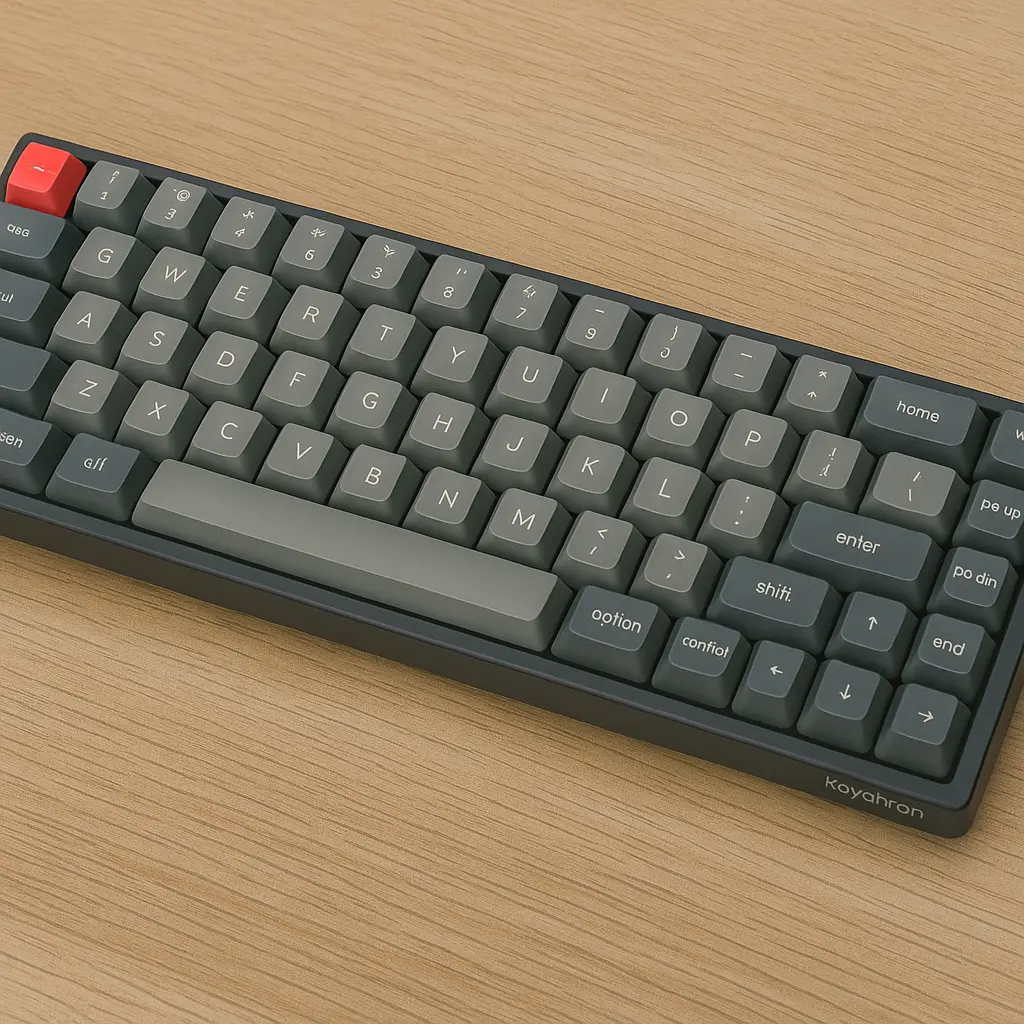
🔹 Keychron K6 Pro
Why It’s Great for Mac Users:
The K6 Pro is a compact powerhouse. It’s fully customizable, supports wireless connection, and is VIA-programmable—even at a budget-friendly price.
Detailed Features:
Layout: 65% layout that omits the function row and numpad for ultra-compactness.
Switch Options: Gateron G Pro 2.0 or barebone for DIY switch replacement. Hot-swappable.
Connectivity: Bluetooth 5.1 (3 devices), wired USB-C. Lag-free and stable.
macOS Support: Toggle switch for Mac/Windows compatibility. Mac legends included.
Software: VIA for full remapping, lighting customization, and layers.
Typing Feel: Sharp and fast; tactile lovers should go for Gateron Browns, while Red switch users will enjoy smooth linear typing.
Best For: Developers, gamers, keyboard tinkerers.
Price: ~$89
🔹 Das Keyboard 4 Professional for Mac

Why It’s Great for Mac Users:
A true workhorse. This is one of the rare full-size mechanical keyboards designed exclusively for Mac, complete with Mac legends and full media control.
Detailed Features:
Layout: Full-size with dedicated function row, media keys, and volume knob.
Switches: Cherry MX Blue or Brown, delivering loud clicks or soft tactile bumps.
Build Quality: Solid aluminum top panel, high durability. Built like a tank.
Extras: Built-in 2-port USB hub, oversized volume knob, instant sleep button.
macOS Compatibility: 100%, no remapping needed. Pre-installed Mac legends.
Typing Feel: Authoritative, satisfying clicks. Excellent for productivity power users who don’t mind the sound.
Best For: Office professionals, content creators with desk setups.
Price: ~$169
🔹 Epomaker TH80 Pro
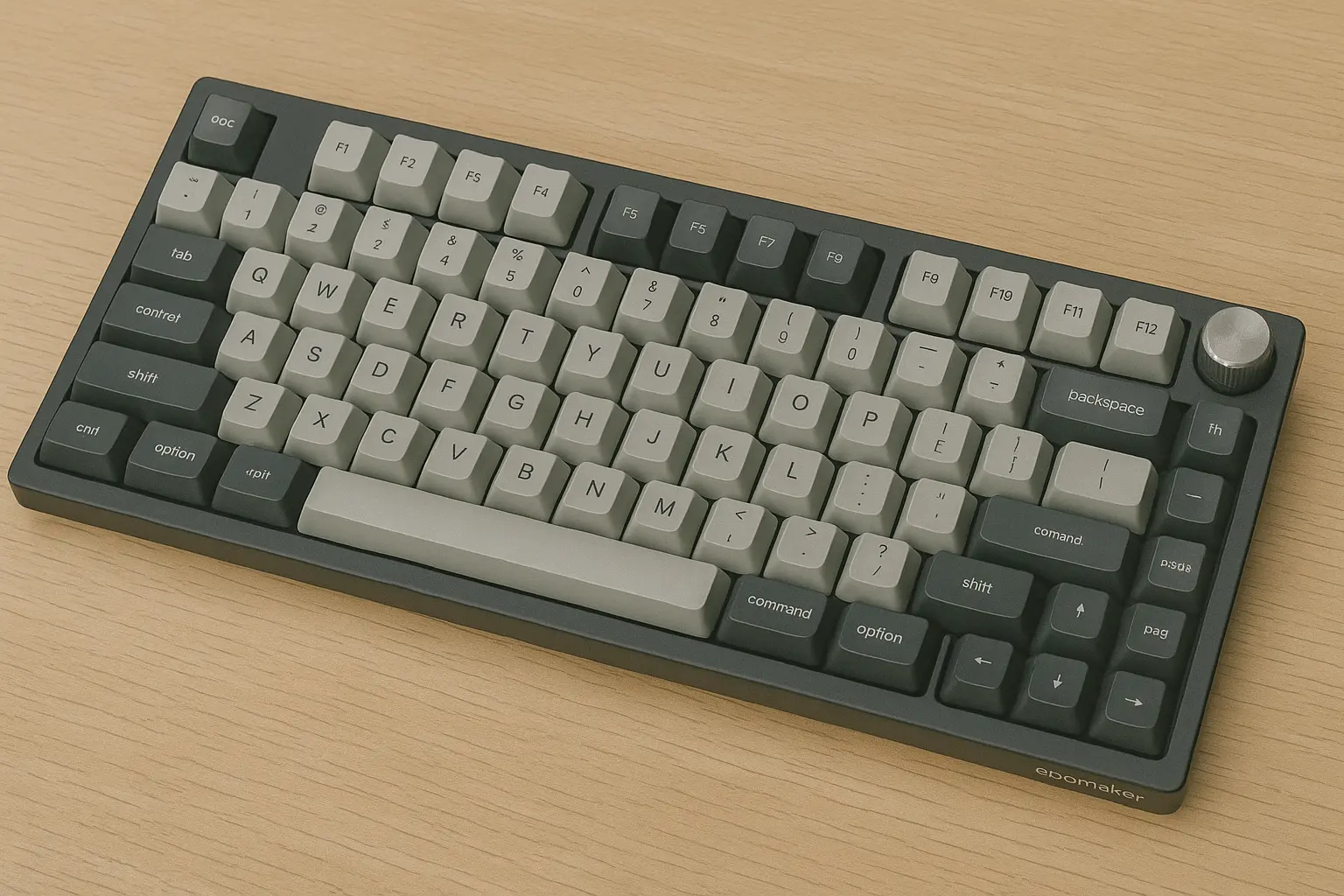
Why It’s Great for Mac Users:
Don’t let the price fool you—this is a feature-rich keyboard with triple-mode connection, vibrant RGB, and reliable switch performance.
Detailed Features:
Layout: 75% with arrow keys and function row, compact but efficient.
Switches: TTC Gold Pink V3 linear switches by default—smooth and fast. Hot-swappable support for 3-pin and 5-pin switches.
Wireless Modes: Bluetooth 5.0, 2.4GHz dongle, and wired USB-C.
macOS Support: Fully supported via switch on back and software.
Software: Compatible with Epomaker’s driver software for lighting and macro configuration (Windows-only but works for Mac mapping).
Typing Feel: Light, fast, and surprisingly premium for its class. Stabilizers are pre-lubed and keycaps are double-shot PBT.
Best For: Students, budget-conscious users, entry-level mechanical keyboard fans.
Price: ~$79
Quick Comparison Table
| Keyboard | Layout | Switch | Wireless | Mac Layout | Price |
|---|---|---|---|---|---|
| Keychron Q1 Pro | 75% | Gateron G Pro | Yes | Yes | $199 |
| Logitech MX Mech Mini | 75% | Low-profile Tactile | Yes | Yes | $149 |
| NuPhy Air96 V2 | 96% | Low-profile | Yes | Yes | $129 |
| Varmilo VA87M | TKL | Cherry MX | No | Yes | $139 |
| Keychron K6 Pro | 65% | Hot-swappable | Yes | Yes | $89 |
| Das Keyboard 4 Pro | Full-size | Cherry MX | No | Yes | $169 |
| Epomaker TH80 Pro | 75% | TTC Gold Pink V3 | Yes | Yes | $79 |
How to Choose the Right Keyboard for Your Mac
Writers: Look for tactile switches, good ergonomics, compact or TKL layouts (Keychron K6 Pro, Logitech MX Mech).
Coders: Customizable layouts with programmable layers are key (Keychron Q1 Pro, Epomaker TH80 Pro).
Designers/Minimalists: Slim designs with macOS-native layout and aesthetic (NuPhy Air96, MX Mechanical Mini).
Gamers: RGB, fast switches, low-latency wireless (TH80 Pro, K6 Pro).
Budget Users: Under $100 and reliable? Try Epomaker TH80 or Keychron K6 Pro.
Final Thoughts
A good mechanical keyboard can seriously boost your productivity, comfort, and typing satisfaction—especially on a Mac. Whether you’re looking for a full-featured pro-grade keyboard or a compact model for your mobile setup, the 2025 lineup has something for everyone.
✅ Top Picks by Use Case
Best Overall: Keychron Q1 Pro
Best for Writers: Logitech MX Mechanical Mini
Best Budget Option: Epomaker TH80 Pro
Best for Mobile Users: NuPhy Air96 V2
FAQ (Frequently Asked Questions)
Q: Do mechanical keyboards work on macOS Ventura and Sonoma?
A: Yes, all the keyboards listed here are compatible with macOS Ventura and Sonoma.
Q: Can I remap Windows keyboards for Mac?
A: Yes, with tools like Karabiner-Elements or built-in macOS settings, you can remap keys like Alt to Option.
Q: Are mechanical keyboards noisy?
A: Depends on the switch. Tactile (like Brown) and Linear (like Red) are quieter than Clicky (like Blue).
Q: Can I use one keyboard with both Mac and Windows?
A: Yes! Most keyboards support a toggle switch or auto OS detection.